
The Ultimate Checklist for Launching Your Small Business Website
Let’s be real for a second...
Launching a website can feel a lot like moving into a new house. You’ve got boxes everywhere (aka your copy, images, brand colors, forms), you’re trying to remember where you put the coffee mugs (your CTA buttons), and somewhere in the chaos you realize you don’t even have a doormat (a favicon… yeah, we’ll get there).
As a small business owner, you already wear a thousand hats—bookkeeper, social media manager, customer service rep, snack provider if you’ve got kids at home. So when it comes to finally hitting “publish” on your website? It can feel like one more massive thing on the never-ending list.
The good news: I’ve got you. Think of this post as your personal website launch buddy—I’m going to walk you through everything you need to check off before you go live. No tech jargon, no boring lectures—just a friendly step-by-step small business website launch checklist to make sure your site doesn’t just look good but actually helps you book clients.
Website Launch Checklist 2025
What we’ll be covering:
Brand Basics Before You Hit Publish
Must-Have Pages Every Small Business Needs
How to Get Clients From Your Website
SEO Basics & Functionality Checks
Final Pre-Launch Checklist
Celebrate Your Website Launch
Step 1: Brand Basics Before You Hit Publish
Before you even think about launching, let’s check the foundation.
→ Brand colors & fonts are consistent. If your homepage looks like a rainbow threw up on it, your visitors will bounce faster than you can say “back button.” Stick to 2–3 main colors and 1–2 fonts. Pro tip: Squarespace makes this super easy to keep consistent once you set your site styles.
→ Your logo is uploaded in all the right places. Header, footer, favicon. Make sure you’ve got a version that looks good on both dark and light backgrounds.
→ Your copy sounds like you. Are you warm and approachable? Bold and edgy? Luxe and professional? Your site copy should feel like a continuation of talking to you in real life. If your About page sounds like a corporate robot wrote it, it’s time for a rewrite.
Step 2: Must-Have Pages Every Small Business Needs
Here’s the thing—yes, you can technically launch a website with just one page. But if you want to actually attract and convert clients, you need the essentials:
→ Home Page: This is prime real estate. The very first thing people should see is what you do and who you do it for. No mysterious poetry, no long-winded backstory right at the top. Clarity > cleverness here.
→ About Page: Spoiler alert: this page is not actually about you—it’s about your clients. Use it to connect with them. Share a bit of your story, your “why,” and how you’re here to solve their problem.
→ Services/Products Page: People shouldn’t have to dig to figure out what you offer. List your services clearly, and if you don’t want to share exact pricing, at least give a starting point. Transparency = trust.
→ Contact Page: Don’t bury this in your footer only. Make it easy for someone to reach out with a clear form, links to your socials, and your email address.
→ Legal Pages: Snooze-worthy but necessary. Privacy Policy, Terms of Service, and maybe a Disclaimer. Many template sites now include these, but you can also grab affordable, lawyer-written templates online.
✨ Bonus Pages: If you’re an author, add a “Books” page. If you’re a photographer, you need a “Portfolio.” If you’re a service provider, consider a “FAQ” page to knock out those repetitive emails.
Step 3: Conversion Essentials (a.k.a. How to Get Clients From Your Website)
A gorgeous website is like a storefront with the lights off—it looks good, but nobody’s walking in. To make your site actually work for you:
→ Calls-to-action everywhere. Seriously, everywhere. “Book Now,” “Inquire Here,” “Schedule a Call”—whatever fits your business. Don’t make people dig.
→Lead capture form or freebie opt-in. Your email list is your business’s safety net. Even if someone isn’t ready to book today, they might download your freebie (“10 Tips for Planning Your Wedding Photography Session” or “Free Guide: How to Know When You’re Ready for Therapy”) and come back later.
→ Testimonials or social proof. Got a client who raved about working with you? Use it. Future clients want reassurance that you’re the real deal.
Step 4: SEO Basics & Functionality Checks
This is the not-so-glamorous but super important part of launching your small business website:
→ Mobile-Friendly Design: More than half of web traffic comes from phones. Check your site on your own phone and see how it feels. If you’re pinching and zooming… we have a problem.
→ Load Speed: Huge images = slooow website. Compress your images before uploading (there are tons of free tools for this).
→ SEO Basics:
Write unique titles and meta descriptions for each page.
Use your target keywords naturally in your headings and copy.
Add alt text to every image (bonus: it helps with accessibility).
→ Analytics Setup: At minimum, set up Google Analytics and Google Search Console. This way you’ll actually know how people are finding your site.
Step 5: Final Website Pre-Launch Checklist
This is the polish—the little details that make your site feel pro instead of “eh, close enough.”
→ Proofread everything. Nothing kills credibility faster than typos on your homepage.
→ Test every link and form. Click through your buttons. Send yourself a test message. Make sure nothing goes to a 404 page.
→ Add a favicon. It’s that tiny logo in the browser tab. Small, yes, but it makes your site look complete.
→ Connect your domain. Ditch the “yourbiz.squarespace.com” and get your custom URL locked in.
→ Preview your site everywhere. Desktop, tablet, phone. Even send it to a friend and ask, “Does this make sense to you?”
Step 6: Celebrate Your Website Launch
Because here’s the truth: most people never even make it this far. If you’ve launched your website—whether it’s a one-pager or a full site—you deserve a confetti moment 🎉.
But also, know this: your website isn’t set in stone. You can tweak, adjust, and improve as your business grows. The important part is getting it out there so clients can find you.
Launching your website doesn’t have to feel like juggling flaming swords while blindfolded.
With this checklist, you’ve got a roadmap that keeps you from missing the essentials and makes sure your website not only looks good but actually works hard for your business.
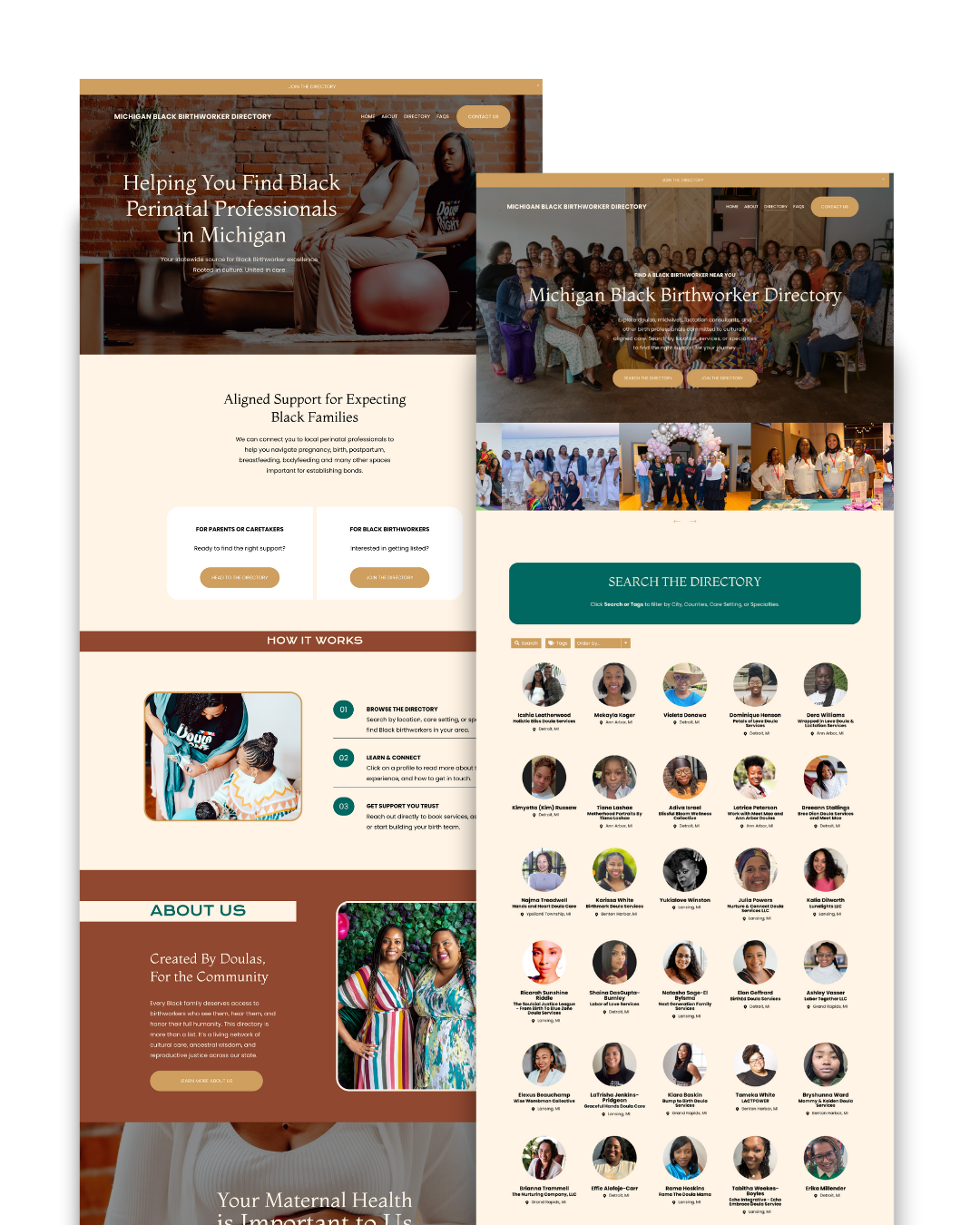
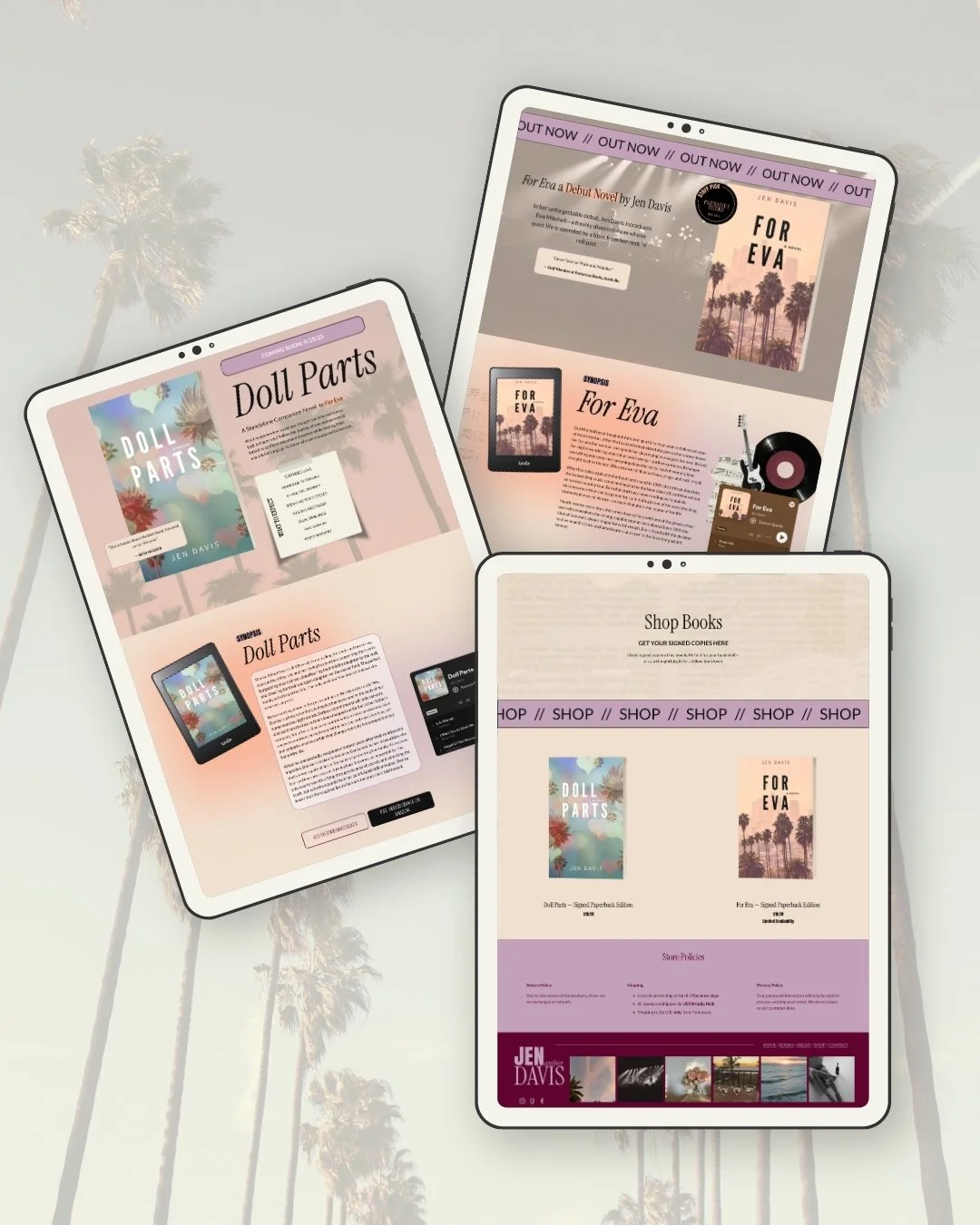
And hey, if reading this made you think “Yikes, I’d rather do literally anything else than set all this up myself,” that’s where I come in. I help small business owners go from DIY stress to dream clients with simple, strategic Squarespace sites. Whether you need a quick one-page site or a custom build, I’ve got your back.






Hey, I’m Tracy!
I help small businesses stand out online with strategic, modern website designs and templates that make marketing yourself easy.